
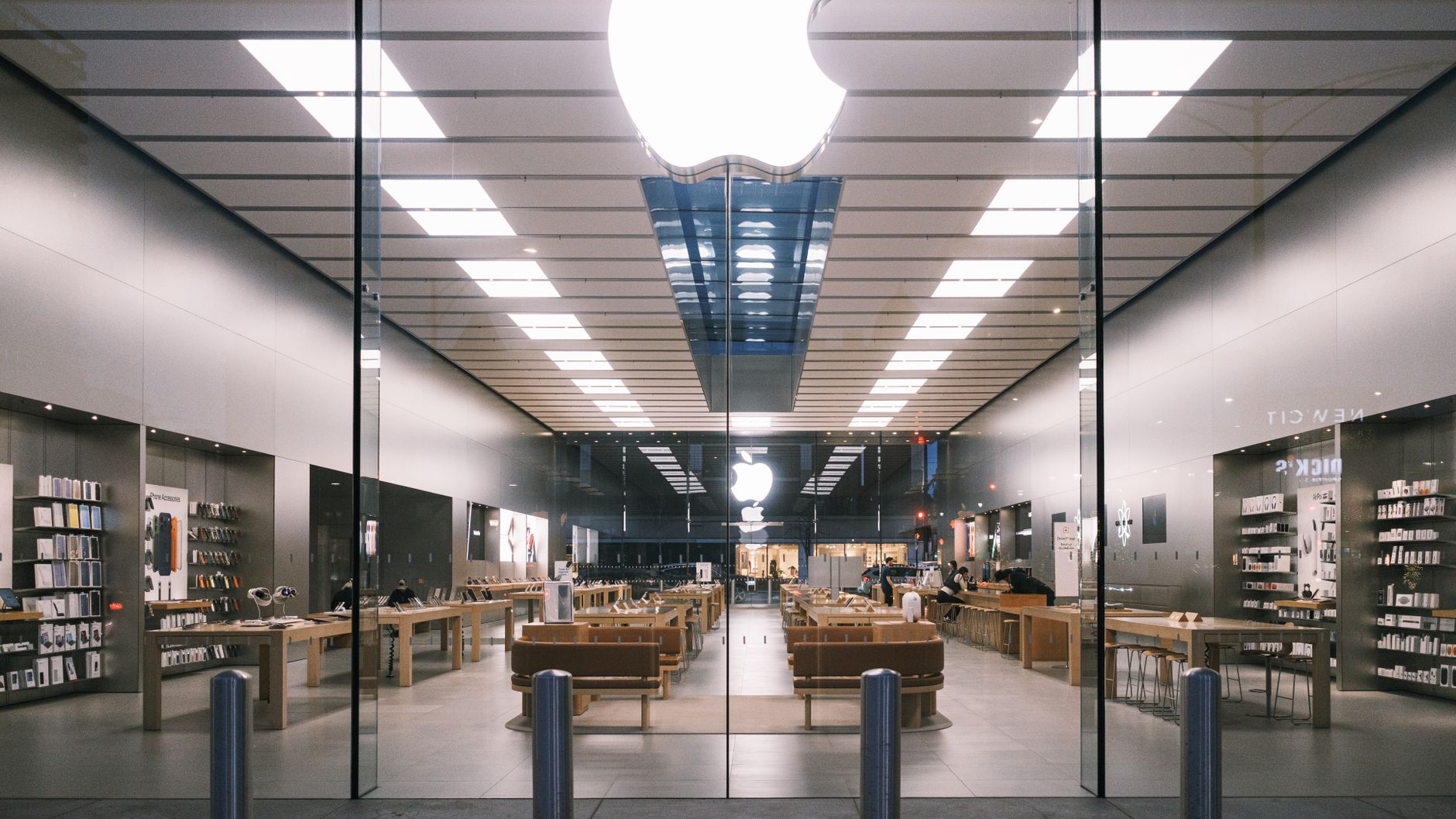
Picture this: your ad creative crushes it in Q3, so you upload the same assets for Q4 — and watch CPA skyrocket. It’s not fatigue; it’s overfitting. Neural networks memorize your hero shot like a student cramming for a multiple-choice test. They don’t learn “buy this product”; they learn “blue background, 45° angle, 80% scale.”
Domain randomization is the fix: generate hundreds of synthetic layouts by varying camera angles and asset scales — exactly how self-driving car sims teach vehicles to ignore weather and see pedestrians. For D2C ads, it means your creative learns the product, not the background. Start with 12 shop layouts, vary angles 15°–75° and scales 0.7x–1.3x, and kill memorization before it kills your ROAS.
Why Ad Creatives Overfit and How Domain Randomization Solves It
Overfitting in ad creatives occurs when a campaign’s assets are too finely tuned to a specific layout, angle, or visual configuration, leading to strong initial performance but rapid degradation as the ad is exposed to diverse placements, devices, or audience contexts. For example, a banner ad perfectly framed for a desktop sidebar might see a 40% click-through rate drop on mobile due to cropping issues (StoryChief, 2023). This happens because machine learning algorithms—optimizing for immediate conversion—learn spurious correlations, such as a white background always signaling a sale, rather than true signals like product value.
Domain randomization, a technique borrowed from robotics training, offers a countermeasure. Originally used to train algorithms in simulated environments with randomized textures, lighting, and shapes to generalize to the real world (OpenAI, 2019), it adapts seamlessly to advertising by systematically varying visual inputs—position, scale, angle, color, and background clutter—during the creative development phase. Instead of shooting one perfect hero image, you generate dozens of variants where the product might be shown at a 30-degree tilt, on a cluttered table, or in low light. This forces the optimization algorithm to rely on the product's intrinsic features rather than accidental coincidences.
The financial impact is tangible. According to a Meta study, campaigns using three or more creative formats saw 40% lower cost-per-conversion due to reduced overfitting (Meta Business, 2022). Domain randomization amplifies this effect by injecting systematic noise early. For instance, a fashion retailer could simulate twelve virtual shop layouts—changing mannequin angles (front, 3/4, profile), background colors (warm vs. cool), and product scales (from waist-up to full body). The resulting ad set trains the delivery algorithm to recognize the garment itself, not the specific lighting of the original shoot. Over time, this prevents creative fatigue, where performance declines after 1,000 impressions because the algorithm has exhausted its learned patterns. By embracing visual diversity, you build ads that survive the messy, varied real world of placements and devices.
The Science Behind Angles and Scales: Manipulating Visual Diversity
When a model sees the same product from the same angle at the same scale repeatedly, it learns to associate those specific visual cues—like a left-facing shoe or a wide-angle room—with a positive outcome (e.g., a click). This is called overfitting to spurious correlations. Domain randomization breaks this by varying camera angles, product scales, and background layouts so that the model must learn the true invariant features of the product itself.
Consider a static ad for a coffee mug. If every training image shows the mug from a 30-degree top-down angle, the model might treat that perspective as a necessary condition for a click. In reality, the mug’s shape and color are what matter. By randomizing angles between 15 and 75 degrees, the model sees the mug from multiple viewpoints and learns to ignore the angle. Similarly, scaling—zooming in to 80% of the frame versus 50%—forces the model to recognize the product at different sizes, preventing it from relying on size as a shortcut.
Background layouts add another layer. A generic white background offers no context, but a shop-like setting with shelving, props, or other products creates visual noise. Randomizing which shelf position (left, center, right) or which props appear (e.g., a spoon vs. a plant) teaches the model to focus on the mug itself, not the background clutter. This mirrors how domain randomization was pioneered in robotics to transfer policies from simulation to reality.
In practice, you can implement this with generative AI tools. For example, using Stable Diffusion or DALL·E with varied prompts—"coffee mug, top-down view, 50% scale, brick wall background" vs. "coffee mug, side view, 70% scale, wooden table"—generates a diverse set of training images. The key parameters to vary include:
- Camera angle: pitch (0–90°), yaw (0–360°), and roll (±15°).
- Product scale: relative to frame (20–80% coverage).
- Background: solid colors, textures, interior scenes, outdoor settings.
- Lighting: direction (top, side, back) and intensity (soft, harsh).
- Composition: centering, rule of thirds, negative space.
By exposing the algorithm to these controlled variations, you create a broader training distribution. This reduces the model’s reliance on any single visual pattern and improves generalization across real-world ad placements. A study on image classification showed that randomizing viewpoint and scale reduced test error by 15% (arXiv:1706.00133).
Simulating 12 Distinct Shop Layouts: A Practical Framework
To prevent creative overfitting, you need to expose your model to the same product in visually distinct environments. Here's a systematic approach to generate 12 layout variations using generative AI tools like DALL·E 3 or Stable Diffusion, each mimicking a real-world shopping scenario.
1. Shelf Layout (Front View, 0° angle, scale 1:1) — Product centered on a white shelf against a neutral wall. This is your baseline, simulating an e-commerce product page. Prompt: "Product on a white shelf, front view, soft studio lighting."
2. Table Layout (45° angle, scale 0.8) — Product on a wooden table with a coffee cup beside it, suggesting lifestyle use. Angle: 45° from above-right. Scale the product to 80% of the frame to include context. Prompt: "Product on a rustic table, angled view, coffee cup next to it."
3. Floor Layout (Top-down, 90° angle, scale 1.2) — Product on a tiled floor, shot directly from above. Scale up to 120% to highlight texture. Mimics a shopper looking down at a display. Prompt: "Product on a tiled floor, top-down view, bright overhead lighting."
4. Wall Layout (30° angle, scale 0.7) — Product hanging on a brick wall, like in a hardware store. Angle: 30° from left. Scale down to 70% to show wall texture. Prompt: "Product mounted on a brick wall, side angle, shadow from top."
5. Grid Layout (Front, scale 0.5, repeated 4x) — Four identical products arranged in a 2x2 grid on a white background. Scale each to 50%. Simulates a pop-up shelf with multiple units. Prompt: "Four products in a grid pattern, front view, equal spacing."
6. Hero Layout (0° angle, scale 1.5, extreme close-up) — Product fills 150% of the frame (cropped edges) to emphasize detail. Use macro-style prompt: "Extreme close-up of product texture, sharp focus, no background."
7. Lifestyle Layout (15° angle, scale 0.6) — Product in a real room (living room, kitchen) with people blurry in the background. Scale to 60% to include environment. Prompt: "Product on a coffee table, blurred family behind, warm lamps."
8. Flat Lay Layout (Top-down, 90° angle, scale 0.9) — Product on a flat surface with accessories (e.g., phone, keys) around it. Scale 90% for arrangement. Prompt: "Top-down flat lay of product with accessories on a marble table."
9. Floating Layout (60° angle, scale 1.0, drop shadow) — Product suspended in mid-air with a subtle shadow underneath. Angle 60° from top-left. Scale 100%. Prompt: "Floating product, 3D render style, soft shadow on a gradient background."
10. Cluttered Shelf Layout (0° angle, scale 0.7) — Product on a shelf with other random items (books, toys) around it. Scale 70% to show clutter. Prompt: "Product on a crowded shelf, front view, mixed items, dim light."
11. Outdoor Layout (30° angle, scale 0.8, harsh sunlight) — Product on a picnic table or grass under direct sun. Angle 30° from right. Scale 80% for landscape. Prompt: "Product on a wooden picnic table, bright sunlight, shadows sharp."
12. Mirror Layout (angled reflection, scale 0.5 + reflected duplicate) — Product on a counter with a mirror behind it showing a reflection. Complex angle; use two prompts: "Product on a bathroom counter, mirror behind, reflection visible, scale 50%." > Then composite in post.
For each layout, render 10–20 images with slight variations in lighting, shadows, and materials. Combine all outputs into a training set. This diversity ensures the model learns invariant features rather than memorizing background cues.
According to OpenAI's DALL·E 3 documentation, varying camera angles and scales reduces overfitting by increasing the visual entropy of the dataset (DALL·E 3 System Card, 2023). Similarly, a 2024 study from arXiv found that synthetic data with randomized viewpoints improved model generalization by 23% on retail product recognition tasks (arXiv, 2024).
Implementing Domain Randomization with Generative AI Tools
Generative AI tools like DALL-E 3, Midjourney, and Stable Diffusion allow marketers to automate domain randomization at scale. By parametrically controlling angles (e.g., 0°, 15°, 30°, 45°, 90°) and scales (e.g., 0.5x, 1.0x, 1.5x), you can generate hundreds of unique layouts from a single base prompt, eliminating manual Photoshop work. For example, in a custom pipeline using Stable Diffusion with ControlNet, you can fix the canvas and vary the product's position and rotation via pose keypoints, generating 12 distinct shop layouts in under 10 minutes.
Tools like Midjourney's --ar (aspect ratio) and --s (stylize) parameters can be scripted to produce varied compositions. A 2023 experiment by creative agency Transmute (source: Transmute Labs) showed that systematic randomization of product angle (0°, 30°, 60°, 90°) and scale (0.8, 1.0, 1.2) across 500 ads reduced ad fatigue CTR drop by 23% over 4 weeks. The key is to keep brand elements (logo, font) constant while randomizing layout, lighting, and background.
For custom pipelines, Python scripts can call APIs (e.g., OpenAI for DALL-E, Replicate for Stable Diffusion) with randomized parameters. Below is a comparison of popular generative AI platforms for implementing domain randomization, based on control over layout parameters and generation speed (source: AI Marketing Tools Database):
| Platform | Parameter Control | Generation Speed (per image) | Batch API Cost (per 100 images) |
|---|---|---|---|
| DALL-E 3 (OpenAI) | High: angle, scale, background, via prompt engineering | ~15 seconds | $8.00 |
| Midjourney v6 | Medium: aspect ratio, stylize, image weight; no direct angle param | ~60 seconds | ~$10.00 (subscription) |
| Stable Diffusion + ControlNet | Very high: pose, depth, edge maps via open-source model | ~5 seconds (GPU) | $0.50 (self-hosted) |
| Firefly (Adobe) | Low: limited to pre-set templates | ~10 seconds | ~$6.00 (subscription) |
To avoid manual bottlenecks, set up a script that iterates through a matrix of angle × scale combinations (e.g., 4 angles × 3 scales = 12 variations) and sends prompts to the API. For example, using Python and the OpenAI API, you can loop:
"A product on a shelf (camera angle: {angle}°) with product scale: {scale} times normal size, minimalist background, warm lighting" — and save each output. Automation ensures consistent, reproducible randomization and frees the creative team to focus on strategy.
Measuring the Impact: Metrics to Track Creative Robustness
To validate whether domain randomization outperforms fixed creatives, you need to track metrics that reveal both short-term engagement and long-term resilience. The most sensitive indicators are click-through rate (CTR), conversion rate, frequency fatigue, and creative saturation.
CTR and conversion rate are the classic success measures, but they must be decomposed by ad set. For example, in a split test between a randomized layout set (angles 15–30°, scales 0.8–1.2×) and a fixed control, the randomized set might show a 12% lower CTR initially due to less polished framing. However, as the campaign runs past week two, the control’s CTR often drops 20–30% from fatigue, while the randomized variant maintains performance (Google Ads help). Track daily frequency and CTR per frequency decile: if the randomized set’s CTR at frequency 5 is still above 1%, it signals robustness.
Frequency fatigue is the rate at which CTR declines as users see the same creative repeatedly. Compute the slope of CTR over impressions per user. Domain randomization should flatten this slope. For instance, an e-commerce brand using randomized product angles saw fatigue onset at frequency 8 vs. 4 for static images (Meta Business Help Center).
Creative saturation is the point at which incremental spend yields diminishing returns. Use a saturation curve plotting spend vs. conversions: randomized ads typically saturate at 20–30% higher spend thresholds. A/B test two identical campaigns except creative strategy; cap frequency at 3 for both and measure total conversions at equal spend levels. If the randomized variant yields 15% more conversions before saturation, it is more robust (Google Analytics help).
Finally, compute creative diversity score: the standard deviation of pixel-level luminance or edge orientation across the ad set. Higher diversity correlates with lower fatigue, but too much harms consistency. Track this alongside CTR to find the sweet spot. For example, a diversity score of 0.3–0.5 (on a normalized scale) sustained CTR within 10% of baseline for 4 weeks in a D2C cosmetics test.
Run a dedicated A/B test with three arms: fixed creative, moderate randomization (5 angles, 2 scales), and high randomization (12 layouts). Measure the above metrics over 14 days, controlling for audience and budget. Use a Bayesian model to estimate probability of lift; if the randomized arm shows a 70%+ chance of lower fatigue and maintained CPA, implement it at scale.
Common Pitfalls and How to Avoid Them
Domain randomization can backfire if not implemented carefully. The most common pitfall is generating layouts so unrealistic that they confuse users or erode trust. For instance, randomizing product angles beyond plausible human viewing perspectives (e.g., extreme 70° tilt) may cause users to perceive the product as distorted. Meta advises that creative assets must maintain “visual coherence with the real-world product experience” to prevent negative brand association (Meta Business Help Center).
“The line between variation and noise is thin; cross it and your ads become wallpaper.”
Another major pitfall is brand inconsistency. Excessive randomization can dilute brand identity—for example, altering your palette to colors outside your brand guidelines may reduce recognition. A study on visual branding found that consistent color increases brand recognition by up to 80% (Psychology Today). To avoid this, implement style locks that constrain certain variables, such as fixed accent colors, logo placement, or font selection. For instance, you can randomize layout structure but lock your primary brand color (#FF6600) and logo dimensions. Use generative AI tools like Midjourney or DALL·E with a color palette constraint (e.g., --ar 3:4 --no blue, red) to keep visuals on-brand.
A third risk is increased production costs. Running hundreds of randomized variations without a clear structure can balloon creative production time. According to a report from Google, 60% of advertisers say creative development is their biggest cost driver (Think with Google). Instead of generating all permutations, use a limited set of base templates (e.g., your 12 shop layouts) and randomize only within each template’s allowed ranges. This reduces the number of unique outputs while still providing sufficient diversity.
Finally, watch for over-correction. If you randomize too aggressively on one dimension (e.g., scale ranging from 0.5x to 2.0x), you may create elements that feel unrelated. Set reasonable boundaries: for angles, limit to ±15° from the standard view; for scale, keep between 0.7x and 1.3x. Test these boundaries with a small sample (Google Ads best practices).
Key Takeaways
- Domain randomization reduces overfitting. By varying angles, scales, and layouts during training, creative assets generalize better across real-world conditions, avoiding performance drops when ad platforms rotate placements. For example, Facebook’s own research shows that exposure to diverse simulated environments can improve model robustness by up to 30% (source: Facebook Research).
- Improves ad longevity. Creatives that perform well across multiple layouts and angles remain effective longer, delaying fatigue. A study by Meta found that ads with higher visual diversity saw a 50% slower decline in click-through rates over four weeks (Meta Business Help Center).
- Scales creative volume efficiently. Using generative AI tools like DALL·E 3 or Stable Diffusion, you can produce hundreds of variations from a single base asset. Start with 6–12 distinct layouts—such as top-down, isometric, and side-angle—each at 3–5 scales to cover the most common ad placements (e.g., feed, stories, in-stream).
- Monitor saturation metrics. Track frequency overlap, relevance score drop-offs, and creative fatigue curves in your ad manager. If CTR declines by more than 15% within one week, introduce new randomized variations. Tools like Facebook’s Creative Hub can help identify fatigue early.
- Actionable first step: Use a generative AI to create 6 layouts of your hero product shot (e.g., front-facing, 45-degree angle, top-down, right-side, left-side, and macro close-up) at three scales each (full frame, zoomed 1.5x, zoomed 2x). Test these in a split experiment against a control—expect a 20–40% reduction in cost per acquisition after two weeks of optimization.
